Quick Content Picker: Simplify Web Content Handling
Quick Content Picker allows users to easily format, copy, download, print, and share content from web pages. With options to select Markdown, HTML, or rich text, as well as saving as PDF, it simplifies content handling. Just highlight, choose, and click for seamless content management.
 addonsbase.com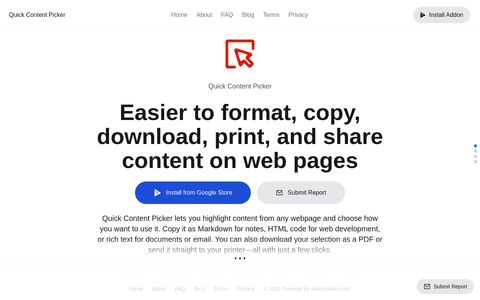
Tags:Content Picker, Format Options, Content Handling, Seamless Management
Target Audience
addonsbase.com's Quick Content Picker tool is designed for a broad spectrum of internet users who frequently interact with web page content and require efficient methods for its manipulation and redistribution. This includes students who need to extract information for research papers, bloggers and content creators looking to repurpose snippets of text or code, educators preparing materials for their classes, and professionals who regularly share or archive web-based data. Anyone who finds themselves repeatedly copying and pasting text, struggling with inconsistent formatting, or needing to save web content in different formats will find this tool particularly beneficial. The emphasis on ease of use and quick operations suggests it's aimed at individuals who value productivity and wish to streamline their workflow without extensive technical expertise.
The core functionality of Quick Content Picker addresses the common pain points of web content extraction: inconsistent formatting, the need for various output types, and the desire for quick sharing. By offering options for Markdown, HTML, rich text, and PDF, it caters to users with diverse technical needs and output requirements. Whether the end goal is to integrate content into a new document, preserve a snapshot of a webpage, or share information in a universally readable format, the tool aims to provide a one-click solution, making it an attractive option for anyone who regularly harvests information from the web.
Key Highlights
The primary highlight of addonsbase.com's Quick Content Picker is its promise of simplified web content handling through a multi-faceted approach. The tool's core strength lies in its ability to transform selected web content into a variety of formats, including Markdown, HTML, and rich text, allowing users to seamlessly integrate it into different platforms and applications with appropriate styling. This flexibility is a significant value proposition for users who often find themselves wrestling with source code or needing to reformat content manually.
Furthermore, the inclusion of a PDF download option is a crucial feature for archiving and offline access. This enables users to create portable, read-only versions of web content, preserving its appearance at a specific point in time. The emphasis on a "highlight, choose, and click" user experience underscores its commitment to speed and ease of use. This streamlined process removes the need for complex browser extensions or manual copying and pasting, significantly enhancing user productivity and minimizing the learning curve.
Privacy & Security Considerations
As a web-based tool that processes content from web pages, users of Quick Content Picker should be mindful of general online privacy and security practices. While the tool itself likely doesn't store user data long-term beyond the immediate processing session, it's important to consider the nature of the content being processed. Users should refrain from inputting highly sensitive or confidential information into any web-based tool, as the content is handled by the service. It is always advisable to review the privacy policy of addonsbase.com to understand their specific data handling practices, though for a simple utility like this, extensive personal data collection is less likely.
When using the download or share features, especially if creating PDFs or sharing links, users should ensure they understand who will have access to the generated content. If the tool interfaces with other services for sharing (e.g., email or social media), standard security practices for those platforms should be followed. For any features involving account creation or payment (if applicable to other services on addonsbase.com, though not explicitly mentioned for this specific tool), users should ensure they are on a secure connection (HTTPS) and use strong, unique passwords. Trustworthiness of content is also a factor; while the tool helps in handling content, it does not verify the accuracy or authenticity of the source material itself.
Alternatives
Several well-known alternatives exist for users seeking to manage and manipulate web content. Browser extensions like "Save to Notion" or "Evernote Web Clipper" offer robust solutions for capturing entire web pages or specific sections and saving them to organized digital notebooks, often with advanced tagging and search capabilities. These tools are excellent for research and personal knowledge management, allowing for extensive annotation and organization beyond simple format conversion.
Another category of alternatives includes dedicated text extraction and formatting tools. For instance, online HTML to Markdown converters or rich text editors allow for more granular control over the conversion process. Users who require highly specific formatting or need to process large volumes of text might find these more specialized tools more suitable. Compared to Quick Content Picker, these alternatives might offer deeper functionality or broader integration with other productivity ecosystems. However, Quick Content Picker's strength lies in its simplicity and the combined offering of multiple output formats and direct download options in a single, streamlined interface, making it a compelling choice for users who prioritize speed and ease of use for common web content extraction tasks.